
Ad Formats⏱️ 8 min readFor media buyers and affiliates
In-page push ads look like push notifications, with an icon, a short title and a line of text, but they’re displayed inside the web page instead of by the browser or operating system. No one has to subscribe to see them, which is exactly why media buyers use them: they reach audiences that classic push can’t, including people browsing in Safari on an iPhone.
This guide covers how in-page push works, how it compares with web push, which offers it suits, and a practical plan for launching and optimizing your first in-page push campaign.
🔑 Key takeaways
- In-page push ads are notification-style cards drawn by the publisher’s page, so they need no opt-in and work in any browser.
- They fill the iOS gap: Safari only supports web push for web apps added to the Home Screen, not for ordinary browsing.
- The ad shows only while the user is on the page, so creatives must catch attention fast, without pretending to be a system alert.
- Treat it like push: rotate creatives, split by device and OS, and optimize zones against a target CPA.
What Are In-Page Push Ads?
An in-page push ad, sometimes called an in-page push banner or “native push”, is a small card that slides into a corner or edge of a web page. It usually has an icon, a title, a short description and sometimes an image. A tap or click opens the advertiser’s landing page. A typical in-page push ads example: a card in the top corner with a square game or app icon, a five-word title and a one-line benefit underneath.
The important word is in-page. A classic push notification is delivered by the browser to users who granted a site permission. In-page push is part of the page itself, rendered by the publisher’s ad code, so it:
- needs no subscription or permission prompt
- appears on desktop and mobile, in any browser, including iOS Safari
- is shown only while the visitor is on the page
On Rawbitads, in-page ads look and feel like push notifications but are served within the web page, and you can buy them on CPC or CPM.

In-Page Push vs Web Push: Key Differences
Classic web push relies on a subscriber list, and building one depends on browser permission. MDN’s Notifications API docs explain that a site needs the user to grant permission before it can display system notifications. Browsers have also made those prompts less intrusive: starting with Chrome 80, Google introduced a quieter notification permission UI for users who usually block requests and for sites with very low opt-in rates.
Then there’s iPhone. WebKit’s announcement of iOS and iPadOS 16.4 brought web push only to Home Screen web apps. Someone reading a site in a normal Safari tab can’t join a push list.
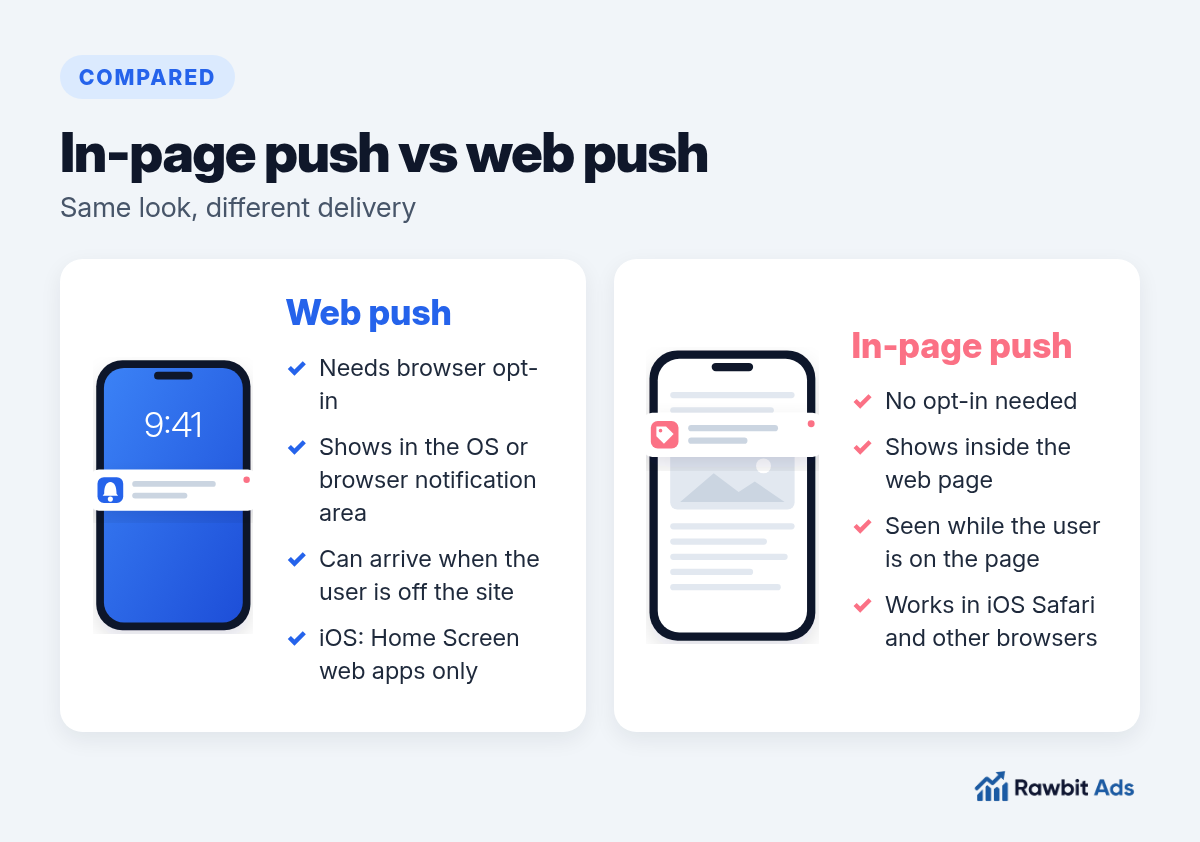
| Web push | In-page push | |
|---|---|---|
| Opt-in needed | Yes, browser permission | No |
| Where it appears | OS or browser notification area | Inside the web page |
| Reaches iOS Safari browsing | No (Home Screen web apps only) | Yes |
| Seen when the user is off the site | Yes | No |
| Typical buying model | CPC or CPM | CPC or CPM |
Why Media Buyers Use In-Page Push Traffic
In-page push sits between push and display. It keeps the compact, message-led look of a notification, and on the publisher’s side it behaves like a page placement.
- Reach beyond subscriber lists. Any visitor on a participating page can see the ad, so you’re not limited to the people who once clicked “Allow”.
- iOS coverage. If your offer depends on iPhone users, in-page push gives you a way to reach them in Safari.
- Familiar creative workflow. If you already run push, your titles, icons and testing habits carry over.
- Flexible bidding. CPC suits direct-response offers where click quality matters; CPM gives you volume and control over cost per impression.
It is a natural partner to classic push. In our push vs pop vs native guide we recommend pairing a push test with in-page push whenever iOS matters.
Which Offers Fit In-Page Push?
Like push, in-page push is built for one quick decision. It works best when the value fits in a headline:
- iGaming registrations and bonus-led offers. Our guide to promoting casino affiliate offers shows how to run push-style creatives for this vertical.
- Dating sign-ups
- Nutra offers with a clear hook
- Finance and crypto lead generation
- Sweepstakes, utilities and app installs
If the offer needs a long explanation, send in-page clicks to a short pre-lander, or test native instead.
How to Launch an In-Page Push Campaign
Connect tracking.
Set up a postback or tracker before launch, so every conversion ties back to its zone, creative and device.
Set a target CPA.
Work back from your payout to the most you can pay for one conversion.
Split by OS and device.
Run iOS and Android, or mobile and desktop, as separate campaigns. Behaviour differs, and you want clean data.
Prepare 4-6 creatives.
Vary the title, icon and image. Small formats fatigue quickly, so start with several combinations instead of one.
Choose CPC or CPM.
Start with CPC if you want to pay only for clicks, or CPM if you want tighter control over volume.
Launch broad, then narrow.
Let the campaign run across zones, then blacklist the ones that spend without converting.
Creative Best Practices for In-Page Push Ads
An in-page push card gets a moment of attention while the visitor is busy reading. Make it count:
- Lead with the benefit. You have a few words. Spend them on what the user gets, not on your brand name.
- Use a clear, square icon. It’s the first thing the eye lands on. High contrast beats detail at small sizes.
- Match the landing page. The title’s promise should be the first thing the visitor sees after the click.
- Don’t fake system alerts. Creatives that imitate warnings, missed calls or OS badges may get a click, but they erode trust and are often rejected in moderation.
- Refresh often. Watch click-through rate by creative and replace the ones that fade.
💡 Pro tip
Write titles for the context the card appears in. People see an in-page card while reading something else, so a short, curiosity-led line plus a concrete benefit usually beats a long pitch.
How publishers display in-page push
Publishers control where and how often the card appears. For example, ExoClick’s publisher setup guide lets site owners choose the vertical and horizontal position, the delay before the first card, the maximum number of cards on a page and a per-session cap. Those settings vary from zone to zone, which is one more reason to judge performance zone by zone rather than across the campaign.
Optimizing In-Page Push Traffic
- Zone-level cuts. Review conversions per zone and blacklist placements that spend without converting. Keep a whitelist of proven zones for scaling.
- Creative rotation. Pause creatives whose CTR keeps falling and replace them with new angles.
- Dayparting. Compare conversion rates by hour and weekday, then focus budget where they peak.
- Bid by segment. Different OS versions, browsers and connection types can perform very differently. Raise bids only where your CPA holds.
With Rawbitads SmartBid, you set a target CPA and the system adjusts bids and blacklists underperforming zones in real time. You can layer GEO, device, OS, browser, carrier, connection type, language and time-of-day filters on top. See all advertiser features.
💡 Pro tip
Run classic push and in-page push side by side with the same creatives for a week. You’ll learn quickly whether your offer converts better with subscribers or with on-page visitors, and you’ll cover iOS either way.
Frequently Asked Questions
What are in-page push ads?
In-page push ads are notification-style ads, with an icon, title and short text, that appear inside a web page instead of being delivered by the browser. They don’t require users to subscribe.
Do in-page push ads work on iPhone?
Yes. Because they’re part of the page, in-page push ads display in iOS Safari, where classic web push only works for web apps added to the Home Screen.
What is the difference between in-page push and web push?
Web push is sent by the browser to users who granted notification permission and can arrive when they’re off the site. In-page push needs no permission but only appears while the user is on the publisher’s page.
Is in-page push traffic good for affiliate marketing?
It can be a strong source for offers that fit in one line, such as iGaming, dating, nutra, finance and sweepstakes, especially when you need iOS reach. As with any source, results depend on tracking, creatives and zone optimization.
How do you pay for in-page push ads?
Most networks sell in-page push on CPC or CPM. On Rawbitads, both models are available.
Start Testing In-Page Push
In-page push ads give you the punch of a push notification without the subscriber list, and they reach iPhone users that classic push misses. Set up tracking, launch several creatives, split by OS and let the zone data guide your bids.
📚 Related guides
Run in-page push on Rawbitads
Reach iOS Safari users and every other browser with push-style ads that need no subscription. Launch on CPC or CPM in minutes.
Start an in-page campaign →