
Ad Formats⏱️ 8 min readFor media buyers and advertisers
Every media buyer gets this question sooner or later: “I have a new offer. Do I run it on push, pop or native?” The honest answer is that no format wins every time. Each one meets the user at a different moment, with a different level of intent, and needs a different kind of funnel.
The good news is you don’t have to guess. Look at how much explaining your offer needs, how fast you need data and what creative assets you have, and the right first test is usually obvious.
This guide covers how each format works, where it fits and how to test it without burning your budget.
🔑 Key takeaways
- Push suits simple, urgent offers you can pitch in one line.
- Pop is the fastest way to test at volume, and your landing page does the selling.
- Native fits offers that need trust or some explaining before the click converts.
- On iPhone, classic web push only reaches Home Screen web apps, so pair push with in-page push.
- Whatever you test, set up tracking and know your target CPA before you spend.
The Short Answer
If you only read one section, read this:
- Push ads: best for simple, urgent offers that can be pitched in one line, like sweepstakes, utilities, app installs, dating and many iGaming flows.
- Pop ads: best for testing at volume and for direct-response funnels where the landing page does the selling.
- Native ads: best for offers that need trust or some explaining first, such as finance, insurance, nutra and higher-ticket eCommerce.
That rough split is common across the industry. For example, Kadam's format comparison recommends push for “urgent messages” and simple offers, popunder for “big traffic volume, quicker testing”, and native “when the offer needs some warming up first.” The rest of this article explains why, so you can make the call for your own offer.
Push Ads: A Short Message to Opted-In Users
How push ads work
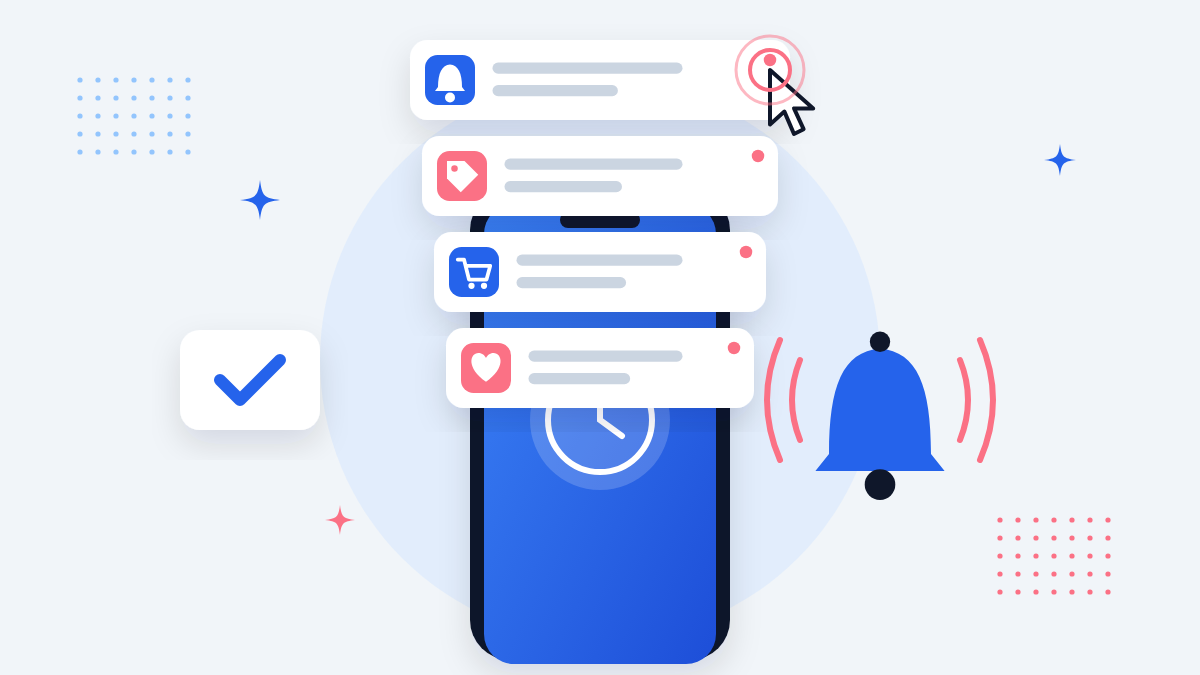
Push ads are browser or OS notifications sent to users who agreed to receive them. They show up like any other system notification on desktop or mobile: a title, a short message, an icon or image, and a click-through to your landing page.
Because the user opted in and the ad shows up as a notification, not a banner, push gets past the banner blindness that drags down classic display. On Rawbitads, push is sold on CPC or CPM.
Where push works best
Push is built for one quick decision. The format has no room for a long pitch, so it suits offers where the value fits in a headline:
- Sweepstakes and giveaways
- Utilities (VPN, antivirus, cleaners)
- App installs
- Dating sign-ups
- iGaming registrations and bonus offers
- Flash eCommerce deals
The iOS catch, and why in-page push exists
Classic web push has a big gap on iPhone. Per WebKit's announcement, iOS and iPadOS 16.4 added web push only for web apps added to the Home Screen, not for ordinary pages in a Safari tab. Most of the iOS audience browsing normally never joins a standard push subscriber list.
In-page push fills that gap. It looks and feels like a push notification but runs inside the web page itself, so no subscription is needed and it works across all browsers, including iOS Safari.
💡 Pro tip
If your offer leans on iPhone users, pair your push test with in-page push so you don't miss the iOS Safari audience.
For a full walkthrough of the format, read our in-page push ads guide.
Push optimization tips
- Rotate creatives often. Push creatives fatigue quickly, so plan several title/icon combos per campaign from day one.
- Lead with the benefit, not the brand. You have a few words. Spend them on what the user gets.
- Split by device and OS. Mobile and desktop subscribers act differently. Keep them in separate campaigns so you can read the data cleanly.
- Watch frequency and time-of-day. Notifications that arrive at the wrong hour get ignored. Dayparting usually pays off.
Pop Ads: Your Landing Page Is the Ad

How pop ads work
With a popunder, a new browser tab opens behind the user’s active window after they click on a publisher’s site. When they close or switch tabs, your full landing page is waiting. You don’t upload a banner or write a headline. The page itself is the creative. New to the format? See what popunder traffic is and how to optimize it.
That makes pop 100% viewable with zero banner blindness. It's usually bought on CPM, and on Rawbitads it's also available on CPA.
Where pop works best
Pop traffic is about volume and speed of learning. Because you're not waiting on someone to click a creative, you collect data fast, which makes it a favorite for:
- Testing new offers, GEOs and landing pages quickly
- Utilities and antivirus
- Sweepstakes
- iGaming
- Finance and subscription offers that convert on a small share of a large audience
💡 Pro tip
Many buyers use pop as a discovery channel: find the GEO, device and landing page combination that converts, then take that knowledge to other formats.
The trade-off: lower starting intent
The visitor didn't click an ad to get there, so they show up cold. Industry guides agree on this. PropellerAds' popunder guide sums it up as delivering the user and “then letting your funnel do its job (load speed, relevance, CTA, pre-lander angle, etc.).”
Pop optimization tips
- Speed is non-negotiable. A slow page loses a pop visitor before it renders. Compress images and cut heavy scripts.
- Make the first screen do the work. The value and the CTA should be visible without scrolling.
- Use a pre-lander for complex offers. A short qualifying step (a quiz, a quick question) filters out low-intent visitors before the main offer.
- Optimize at the zone level. Pop performance varies a lot by placement. Cut zones that spend without converting, and keep doing it.
- Separate campaigns by GEO and device. Mixing them hides your winners.
Native Ads: Content That Warms Up the Click

How native ads work
Native ads match the look and feel of the page they sit on: sponsored articles, “recommended for you” widgets and in-feed posts. Users see something that looks like content, not an ad, which builds trust and keeps bounce rates lower than traditional display. Native is usually bought on CPC or CPM.
Where native works best
Native suits offers that need context before conversion: anything where the user has to understand, compare or trust before they act.
- Finance and investment-style offers
- Insurance
- Nutra and health
- Higher-ticket eCommerce
- News and lead generation
The trade-off: more prep, slower tests
Native is the most demanding of the three in creative work. You need strong headline and image pairs, and often an advertorial or educational pre-lander between the click and the offer. Testing is slower too. In return, headline and image combos tend to wear out more slowly than push creatives, and a working native funnel is often more stable over time.
Native optimization tips
- Test angles, not just images. The same offer can be framed as news, a how-to, a comparison or a personal story. Angle often matters more than visuals.
- Keep headline, pre-lander and offer consistent. If the headline promises one thing and the page delivers another, the user leaves and placements get cautious.
- Give it time. Judge native on a longer window than push or pop before cutting it.
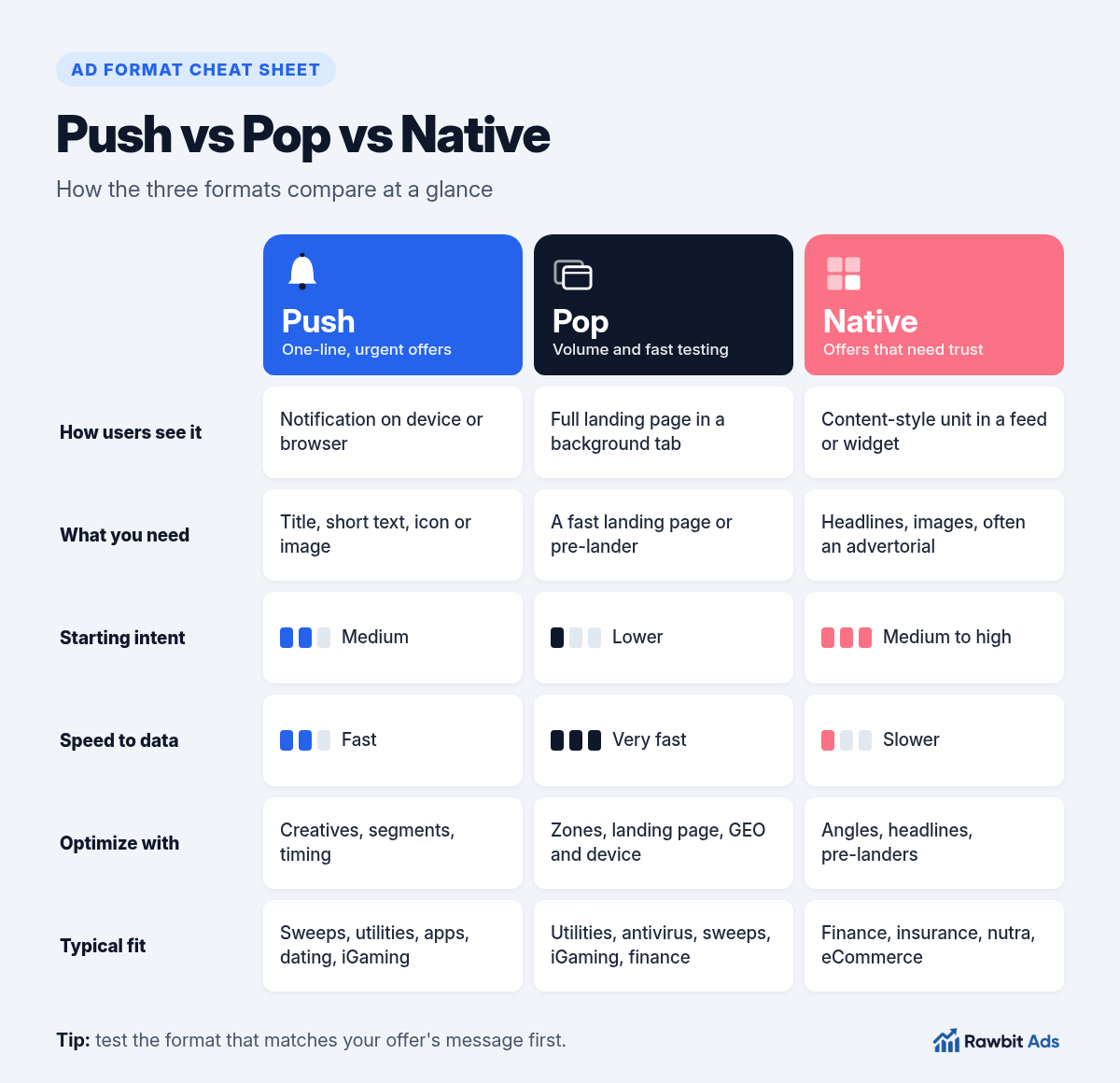
Side-by-Side Comparison
| Push | Pop | Native | |
|---|---|---|---|
| How the user sees it | Notification on device/browser | Full landing page in a background tab | Content-style unit in a feed or widget |
| What you need | Title, short text, icon/image | A fast landing page or pre-lander | Headlines, images, often an advertorial |
| Starting intent | Medium (opted in, message-led) | Lower (landing-page led) | Medium to high (content-led) |
| Speed to data | Fast | Very fast | Slower |
| Main optimization levers | Creatives, segments, timing | Zones, landing page, GEO/device | Angles, headlines, pre-landers |
| Typical fit | Sweeps, utilities, apps, dating, iGaming | Utilities, antivirus, sweeps, iGaming, finance | Finance, insurance, nutra, eCommerce |
How to Choose: A Simple Decision Framework
Ask these three questions about your offer:
Can the value be explained in one line?
If yes, start with push (plus in-page push if iOS matters). If it needs a paragraph or a story, lean toward native.
Is your landing page strong enough to sell on its own?
If you have a fast, focused page that converts cold visitors, pop gives you the quickest, highest-volume test.
How fast do you need a signal?
Need to validate an offer or GEO this week? Pop or push. Building a long-term, trust-led funnel? Native is worth the extra setup.
You also don’t have to pick just one. Many experienced buyers run the same offer across formats at different funnel stages: pop to find converting GEOs and pages fast, push for direct response, native to warm up the harder-to-convince segment.
Testing Without Wasting Budget
Whichever format you start with, the same rules apply:
- Set up tracking before you spend. Use a tracker with server-to-server (S2S) postback so every conversion ties back to its source, zone and creative. Without it you're optimizing blind. Our guide to S2S postback tracking shows how to set it up.
- Know your target CPA up front. Work out the most you can pay per conversion from your payout. That number drives every bid and cut decision.
- Start broad, then narrow. Launch with reasonable targeting, then layer filters (GEO, device, OS, browser, carrier, time of day) as data shows where your conversions come from.
- Cut losers fast, scale winners slowly. Blacklist zones that spend without converting. Raise budgets on winners gradually so you don't shock performance.
💡 Pro tip
Change one variable at a time. If you swap the creative, landing page and targeting at once, you won't know which one moved the numbers.
Running All Three From One Dashboard
Testing across formats usually means juggling several accounts, deposits and reporting views. Rawbitads puts push, in-page, pop, native, direct click, Telegram and calendar ads in one self-serve dashboard, with traffic across 220+ GEOs.
A few features map straight onto the testing process above:
- Advanced targeting: layer GEO, device, OS, browser, carrier and time-of-day filters on any format to isolate your best-converting segments.
- SmartBid optimization: set your target CPA and SmartBid adjusts bids and blacklists underperforming zones in real time, so budget shifts toward winners automatically.
- Self-serve control: adjust bids, swap creatives and review live ROI without waiting on an account manager or filing a ticket.
You still bring the offer, the funnel and the judgment. The platform handles the busywork.
Ready to Find Your Winning Format?
Push, pop and native each have a job. Pick the one that fits your offer’s message, your landing page and your timeline, track everything, and let the data tell you where to scale.
📚 Related guides
- What Is Popunder Traffic? A Practical Guide for Advertisers →
- In-Page Push Ads: How They Work and How to Run Them →
- iGaming Traffic Sources: Best Ad Formats for Casino and Betting Offers →
- How to Promote Casino Affiliate Offers With Push and Pop Ads →
- iGaming CPA Offers: Payout Models, FTDs and Postback Tracking →
Launch push, pop or native in under 10 minutes
Create your Rawbitads account and run your first campaign. No agency, no middleman, just performance you can measure.
Create your account →