
Media Buying⏱️ 8 min readFor affiliates and media buyers running push and pop

Push and pop traffic is fast and affordable, but it’s cold. People clicking a notification or landing on a popunder tab weren’t searching for your offer a second ago. Sending them straight to a long sales page often wastes the click. Pre-landers fix that: a short page between the ad and the offer that explains, filters and warms up the visitor so the ones who reach the offer are ready to act.
This guide covers when you need a pre-lander, four types to test, a simple layout that converts for push and pop, how to keep it fast and how to A/B test it.
🔑 Key takeaways
- Pre-landers sit between your ad and the offer page to warm up cold traffic.
- Push pre-landers continue the promise in the notification; pop pre-landers have to grab attention from zero.
- Four types to test: advertorial, quiz, review and click-to-continue.
- A simple layout wins: matching headline, one image, three short points, one call to action.
- Keep it light and fast, especially on mobile, and A/B test one change at a time.
What Is a Pre-Lander?
A pre-lander (or prelanding page) is a page you control that visitors see after clicking your ad and before they reach the offer’s landing page. The offer page is usually built by the advertiser or affiliate network and is designed to sell. The pre-lander’s job is different: it sets the context, answers the first question in the visitor’s head and makes the next click feel natural.
The flow looks like this: ad → pre-lander → offer page → conversion. Every visitor who leaves the pre-lander without clicking is one you didn’t have to pay the offer page’s full attention for, and every visitor who clicks through arrives with more intent.
Why Pre-Landers Matter for Push and Pop Traffic
Push and pop reach people in very different ways, and the pre-lander has to match:
| Push and in-page push | Popunder | Direct click | |
|---|---|---|---|
| What the user saw before | A short notification: title, text, icon | Nothing; the page opened behind their window | A mistyped or parked domain |
| Pre-lander’s main job | Keep the promise the notification made | Grab attention instantly and explain the offer | Confirm they’re in the right place |
| Best opening | The same hook as the push title | A big, simple headline and one image | A clear headline that matches the intent |
| Common types | Advertorial, quiz, click-to-continue | Click-to-continue, quiz, review | Review, simple offer summary |
With push, the visitor already read your title, so the pre-lander should pick up exactly where it left off. With pop, there’s no creative at all; Rawbitads notes that pop and direct click only need a landing URL. So the pre-lander is your creative. It has a second or two to explain itself. Our popunder traffic guide and direct click guide explain these formats in more depth.
4 Pre-Lander Types to Test
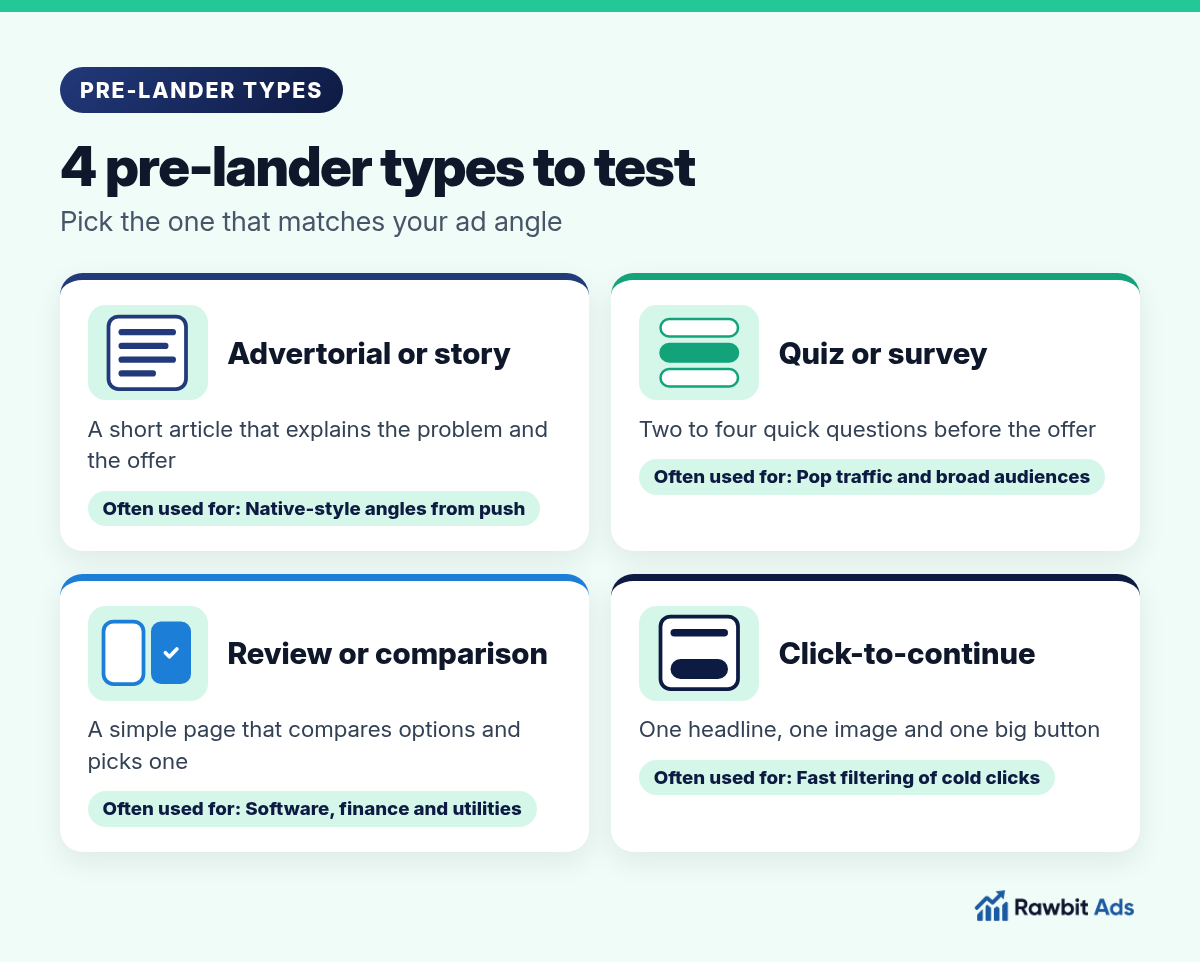
Advertorial or story
A short article-style page that explains a problem and introduces the offer as the answer. It suits push campaigns with curiosity or story angles. Keep it short: a few paragraphs, not a long read.
Quiz or survey
Two to four quick questions (“What are you looking for?”, “How often do you…?”) before the offer. Quizzes turn passive visitors into active ones and filter out people who aren’t interested. They work well on pop traffic and broad audiences.
Review or comparison
A simple page that compares a few options and recommends one. It fits offers where people like to check before they commit, such as software, utilities and finance apps. Keep the comparison honest and the recommendation clear.
Click-to-continue
One headline, one image and one big button. It’s the lightest pre-lander and a good starting point for pop and direct click traffic, where speed matters most.
A Simple Pre-Lander Layout That Converts

Whatever type you choose, the same building blocks do most of the work:
A headline that matches the ad.
Use the same promise and ideally the same words as your push title or pop angle. A mismatch makes people leave.
One clear image.
Show the product, the result or the situation. One strong image beats a gallery.
Three short points.
Why it matters, what they get and why now, in plain words.
One call to action.
A single button with a clear label (“See the offer”, “Check availability”, “Continue”). Repeat it lower down on longer pages.
Light and fast.
Small, compressed images and no heavy scripts, so the page appears almost instantly on mobile.
💡 Pro tip
Write the pre-lander and the ad together. Decide on the hook first, then make sure the push title, the pre-lander headline and the offer page all tell the same story. Consistency from ad to offer usually matters more than clever design.
Pre-Lander Checklist Before You Launch
- Mobile first. Check the page on a real phone, not just a desktop preview.
- Fast load. Compress images, avoid autoplay video and remove scripts you don’t need.
- Tracking in place. Pass the click ID and zone or source parameters from the ad through the pre-lander to the offer, so conversions can be tied back to their source.
- Honest claims. No fake news logos, fake endorsements or fake system warnings. They hurt trust and can get your creatives rejected.
- One exit. Every link should lead to the offer, not to other pages.
- Readable. Large text, short paragraphs and enough contrast to read outdoors.
For crypto and iGaming offers, our crypto ad creatives and pre-landers guide and casino affiliate offers guide include vertical-specific examples.
Test your pre-landers on push and pop traffic →
How to A/B Test Pre-Landers
- Start with two very different versions. For example, a quiz against a click-to-continue page. Big differences show results faster than small tweaks.
- Split traffic evenly. Use your tracker to rotate the pre-landers on the same campaign, so both see the same zones, GEO and creatives.
- Measure the whole funnel. Look at the pre-lander’s click-through rate and the conversion rate on the offer. A page that gets more clicks but fewer conversions is sending the wrong people.
- Change one thing at a time. Once you have a winner, test the headline, then the image, then the button.
- Read results by zone. A pre-lander can win on some sources and lose on others. Combine it with zone blacklists so the budget goes where both the traffic and the page work.
On Rawbitads, you can track conversions with server-to-server postbacks and see where they come from at source level, then let SmartBid adjust bids and blacklist underperforming zones once you have data.
Common Pre-Lander Mistakes
- A headline that doesn’t match the ad. The fastest way to lose a click.
- Too long. A pre-lander is a bridge, not a second sales page.
- Too slow. Heavy images and scripts lose visitors before the page appears.
- Broken tracking. Lost click IDs mean conversions can’t be tied to zones.
- Testing tiny changes first. Button colors can wait until you’ve found the right page type.
Frequently Asked Questions
What is a pre-lander?
A pre-lander is a short page that visitors see after clicking your ad and before they reach the offer’s landing page. It warms up cold traffic by setting context, answering first questions and making the click to the offer feel natural.
Do I need a pre-lander for push traffic?
Often, yes. Push visitors only saw a short title and text, so a pre-lander that continues the same promise can improve conversion on the offer. For simple offers with a clear hook, test a direct link against a pre-lander and keep the winner.
Do pre-landers work for pop traffic?
Yes, and they matter even more. Popunder traffic has no creative, so the pre-lander is the first thing the visitor sees. A big, simple headline, one image and one button, or a short quiz, are good starting points.
What makes a good pre-lander?
A headline that matches the ad, one clear image, three short points, one call to action and a page that loads fast on mobile. Tracking parameters should pass from the ad through the pre-lander to the offer.
How do I test pre-landers on Rawbitads?
Run one push, in-page push or pop campaign, rotate two pre-landers with your tracker, and set up a server-to-server postback so conversions show up in your Rawbitads dashboard by source. Keep the winner, then test one change at a time.
Sources
Checked on 22 October 2026: Rawbitads formats and Rawbitads advertisers and advertiser FAQ. Pre-lander types, layouts and testing steps are general media buying practice.
Build the Bridge, Then Test It
A good pre-lander turns cold push and pop clicks into visitors who are ready for the offer. Match the ad, keep it short and fast, track every step and let A/B tests pick the version that converts.
📚 Related guides
Send your pre-landers real traffic
Test push, in-page push and pop traffic with your pre-landers on Rawbitads: postback tracking, SmartBid and no minimum spend in 220+ GEOs.
Start your test →